🤖 Smart Detection Assistant
What Does the Smart Detection Assistant Do?
There are many reasons why a proxy IP may not work smoothly, and over 90% of issues are not caused by Global Proxies.
Technically skilled users can identify and resolve issues on their own, but beginners may find it difficult to pinpoint the exact problem.
Therefore, Global Proxies's development team created the Smart Detection Assistant to help users quickly locate issues and provide corresponding solutions.
Smart Detection Assistant Download 👉Download Now
How to Use the Smart Detection Assistant
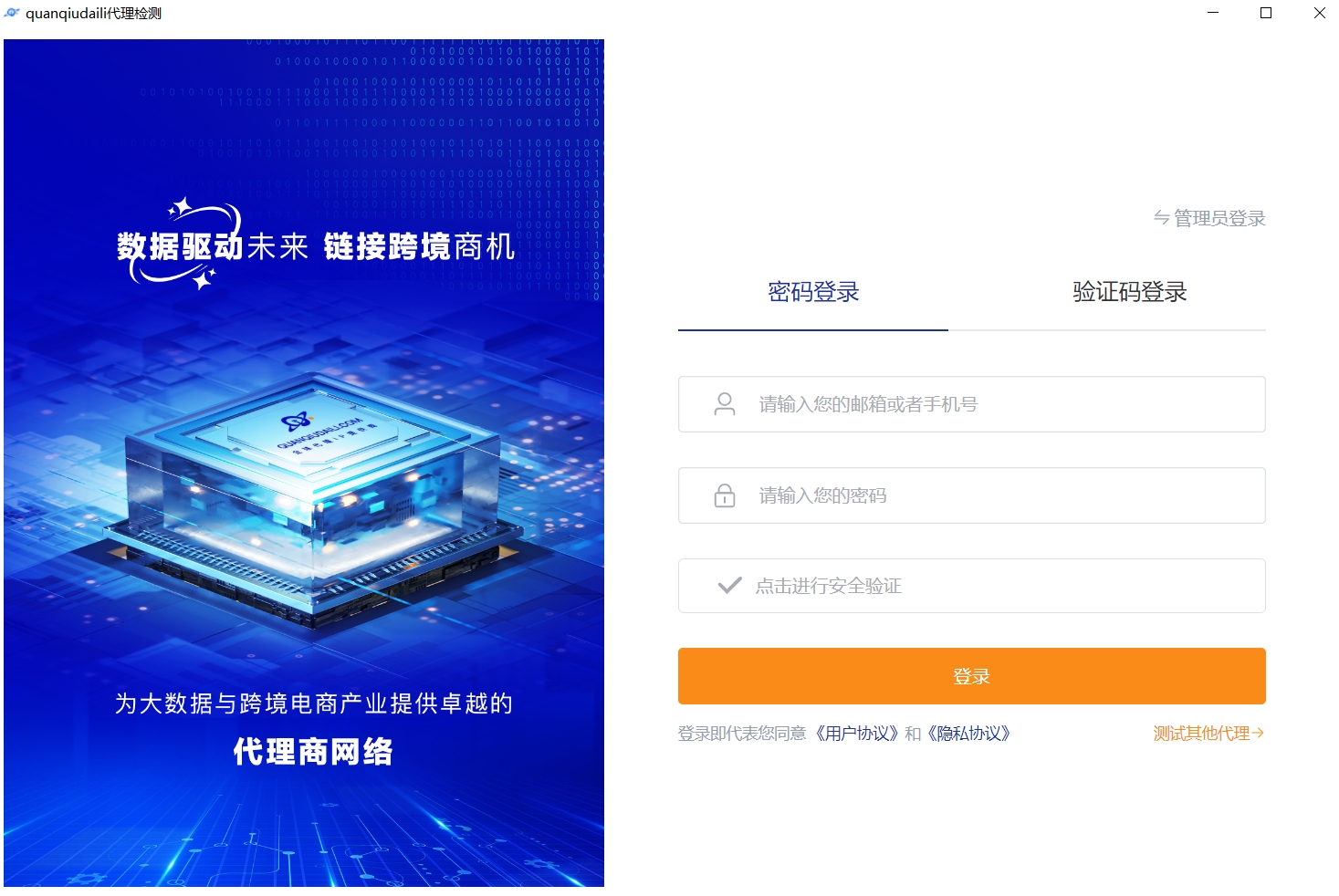
1. After installation, log in with your Global Proxies account credentials
2. Select an acceleration tunnel or add acceleration tunnels (you can add multiple)
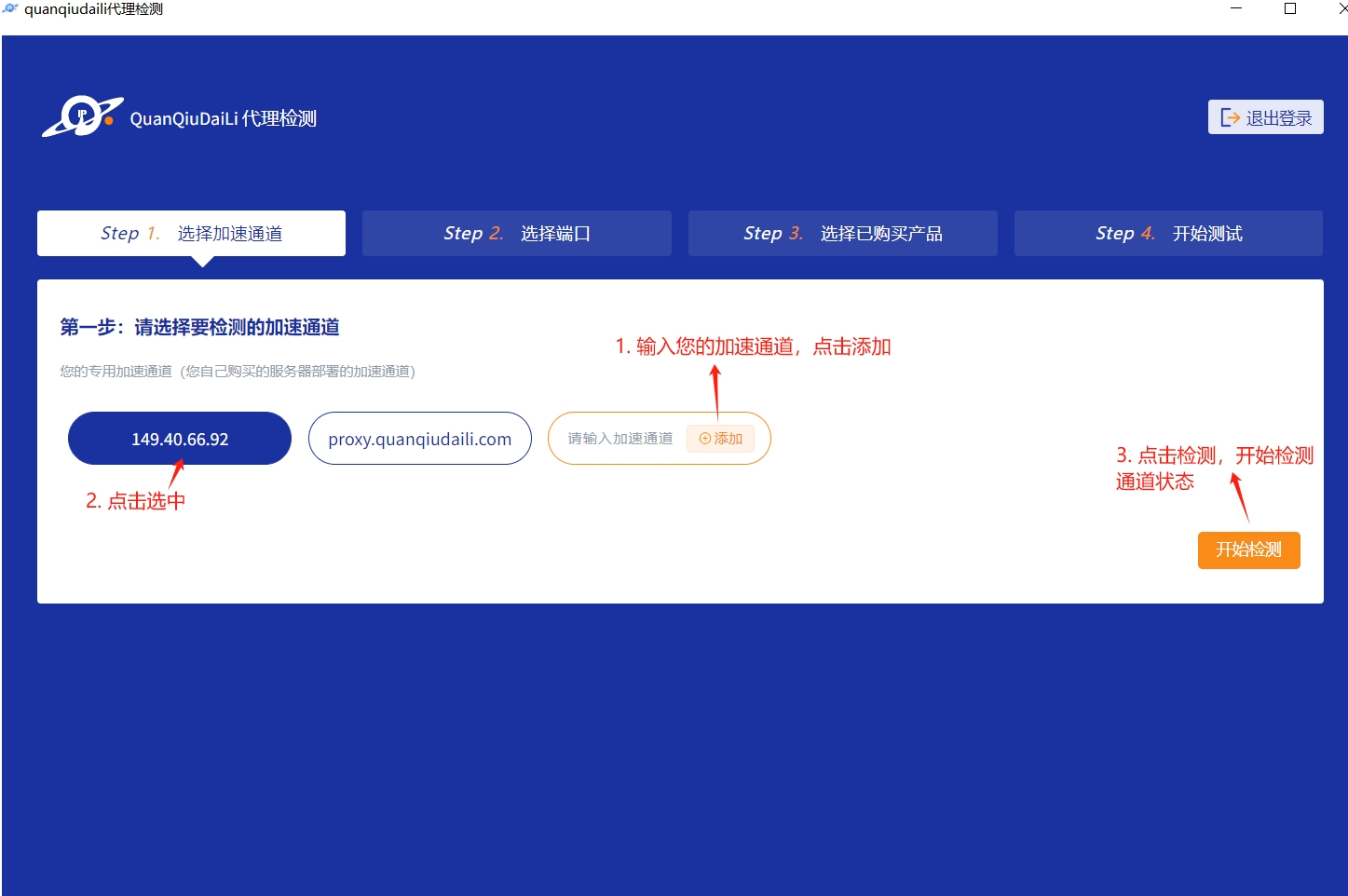
Click "Start Detection" and proceed to the next step after detection is complete
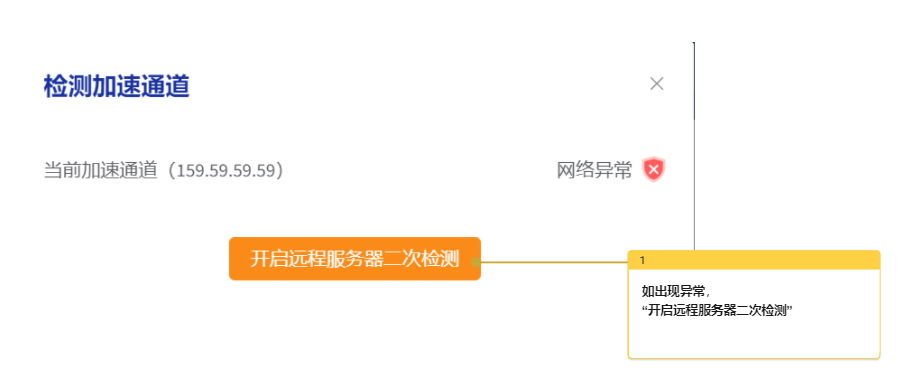
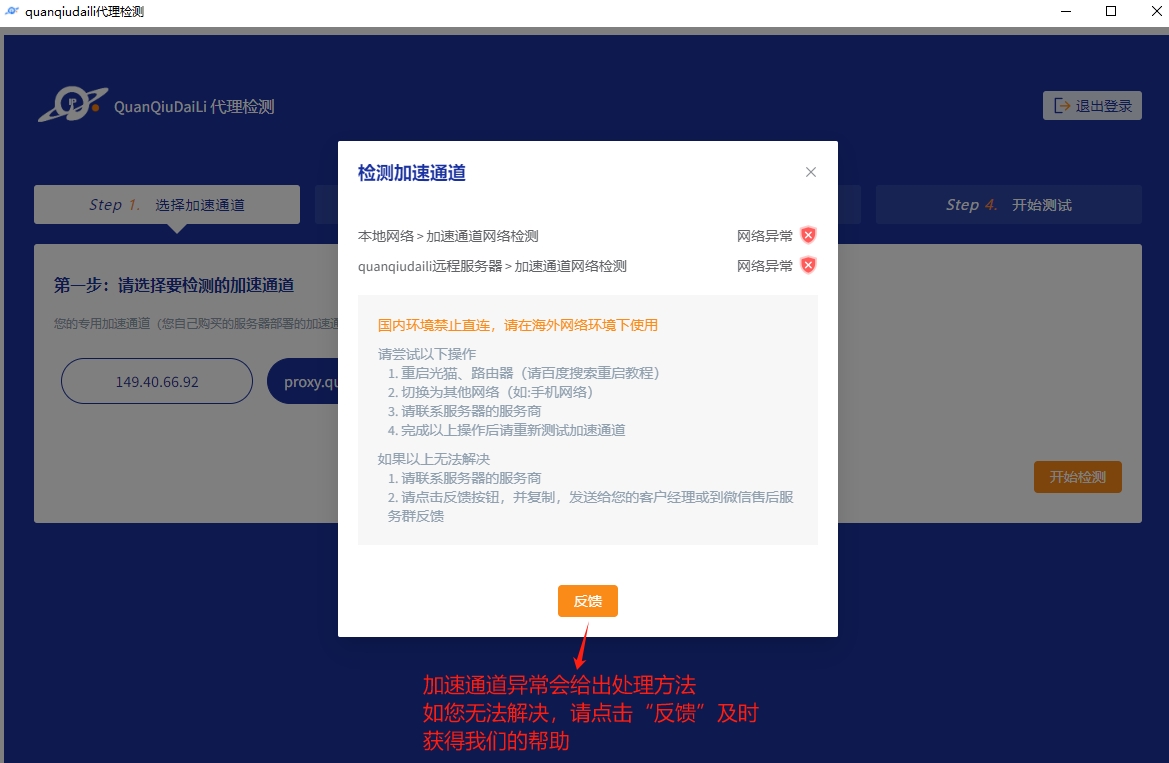
If there are any issues, click the "Feedback" button for a quick resolution
3. Randomly select a working port and proceed to "Next Step"
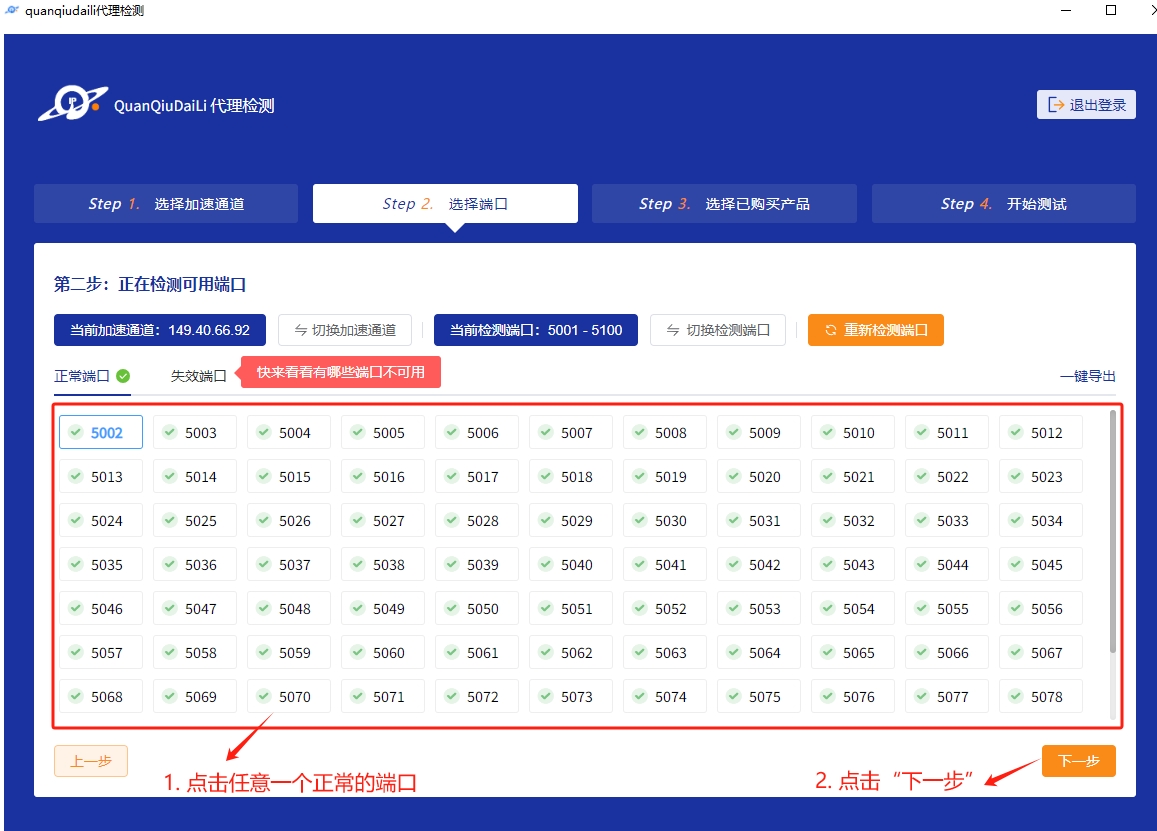
If there are no working ports, please visit your acceleration tunnel login panel, go to "Purchased Orders" > "Whitelist" and add 0.0.0.0/0 or your local public IP address.
If 0.0.0.0/0 is already added, delete it and re-add 0.0.0.0/0.
4. Proceed to "Next Step" and select the purchased product
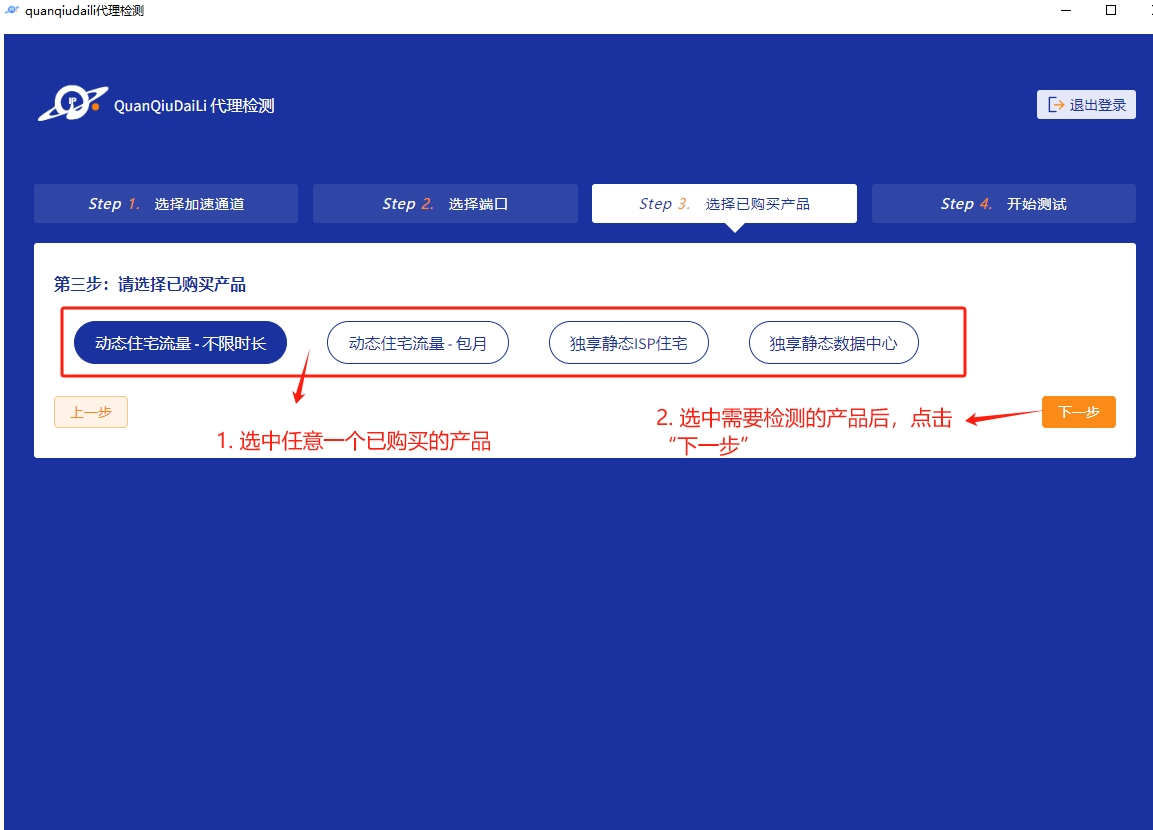
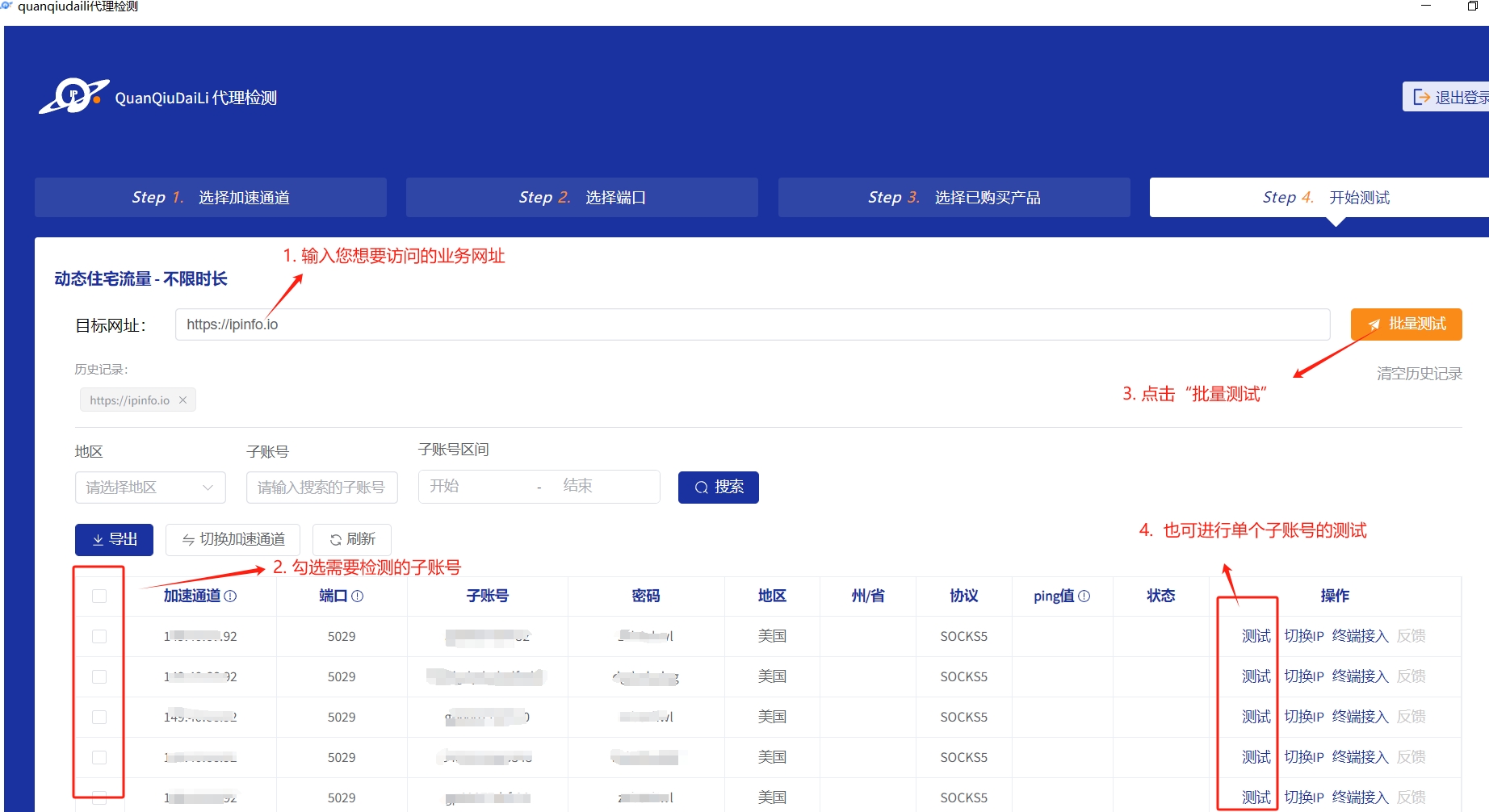
5. Proceed to "Next Step" to enter the testing page
Enter your business URL for more accurate detection results. If you don't want to fill it in, keep the default.
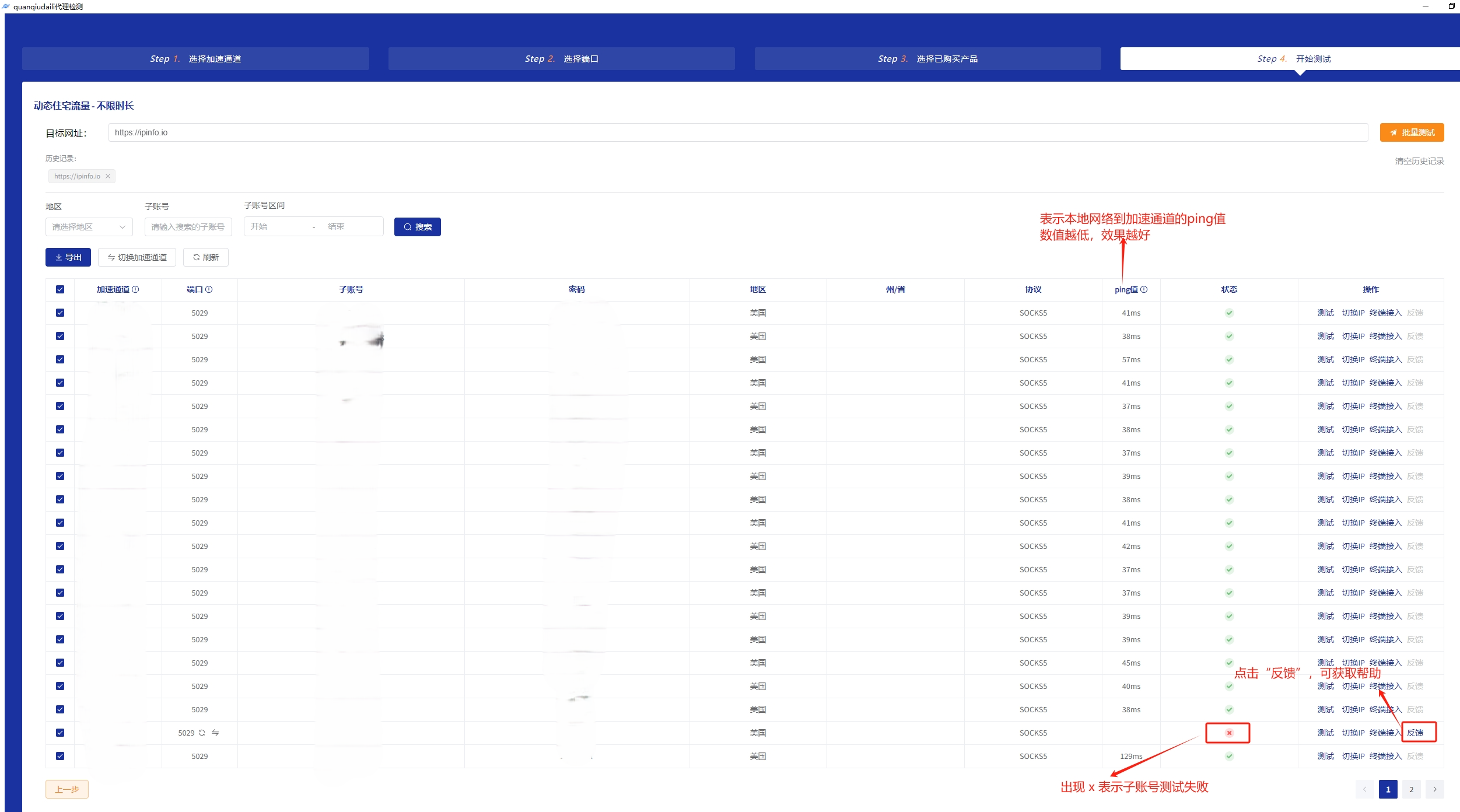
If there are failed sub-accounts, click the "Feedback" button.
 !
!


