📥 Get Proxy
Quick Reading Tip
This page contains lengthy documentation. To save your time, please click the outline on the right to navigate to the section you want to read ➡️➡️➡️➡️➡️➡️➡️ ➡️➡️➡️➡️➡️👉
How to Get Proxy IPs After Purchasing Global Dynamic Residential?
1. Go to "Purchased Orders" > "Global Dynamic Residential"
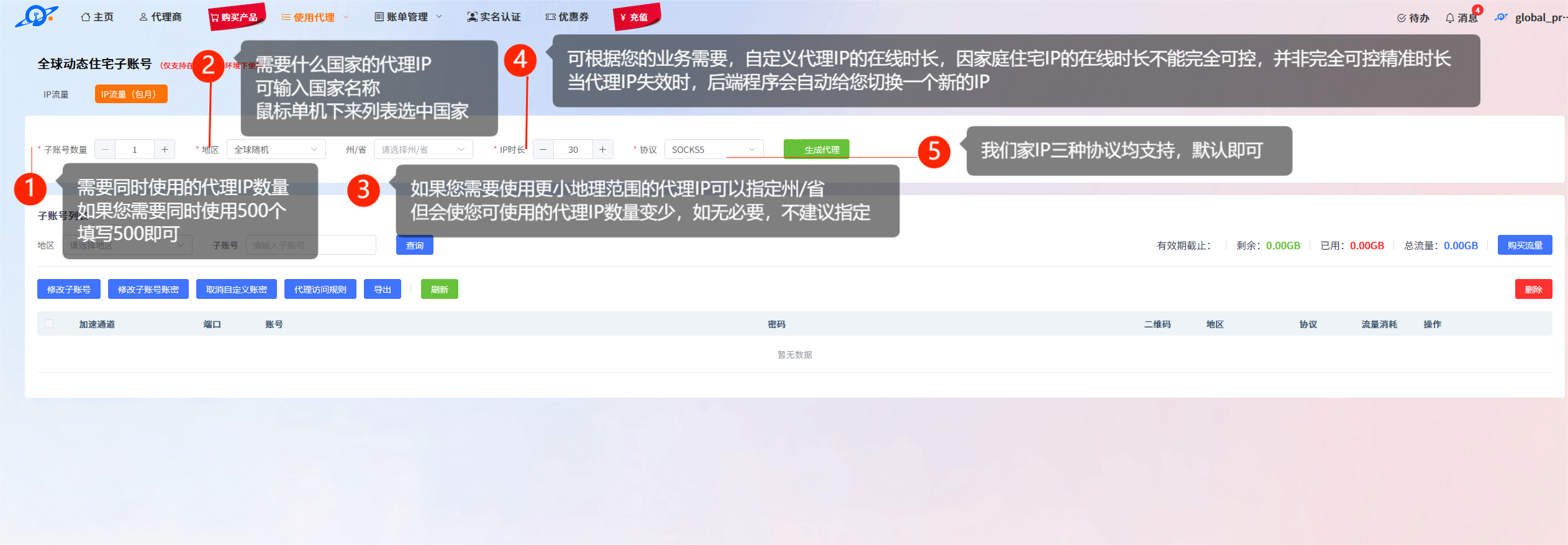
2. Set the proxy IP generation parameters
Please check the card annotation for each parameter, which provides detailed descriptions. Bold text highlights the key information.
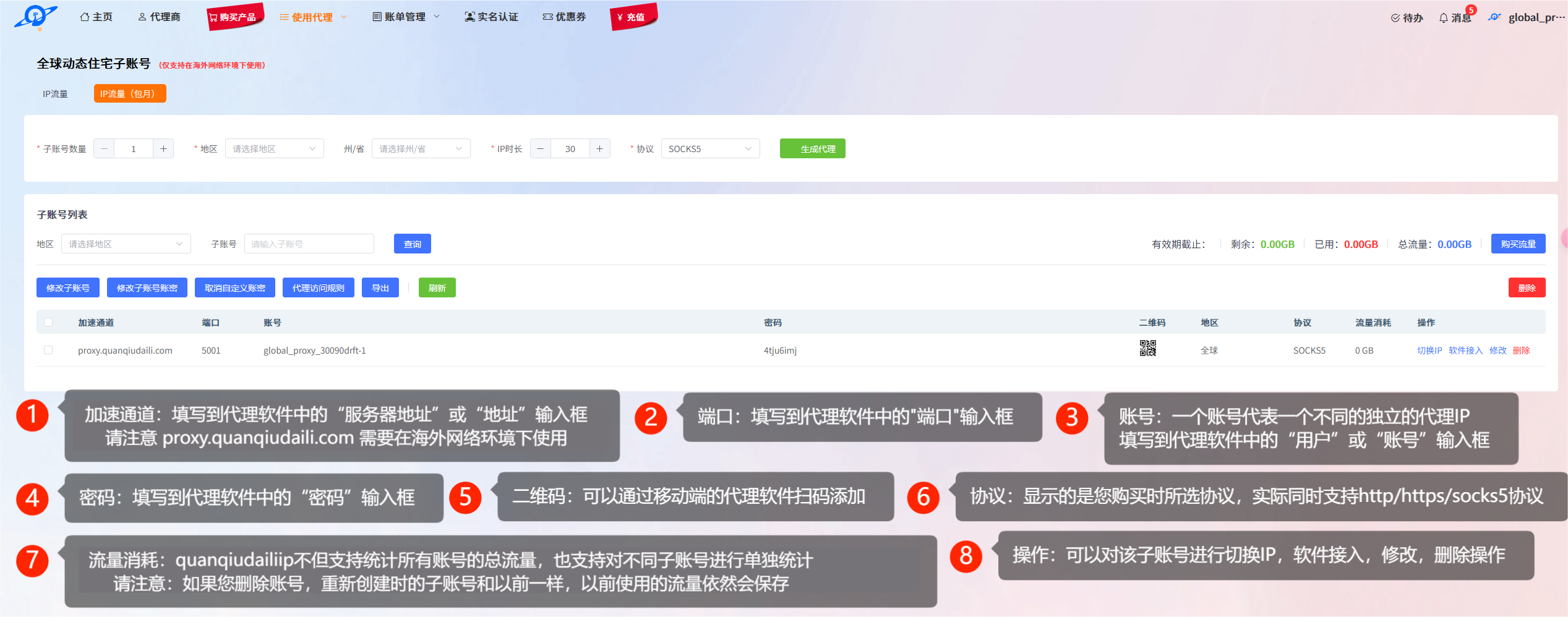
3. View the generated proxy IP information
Method 1:
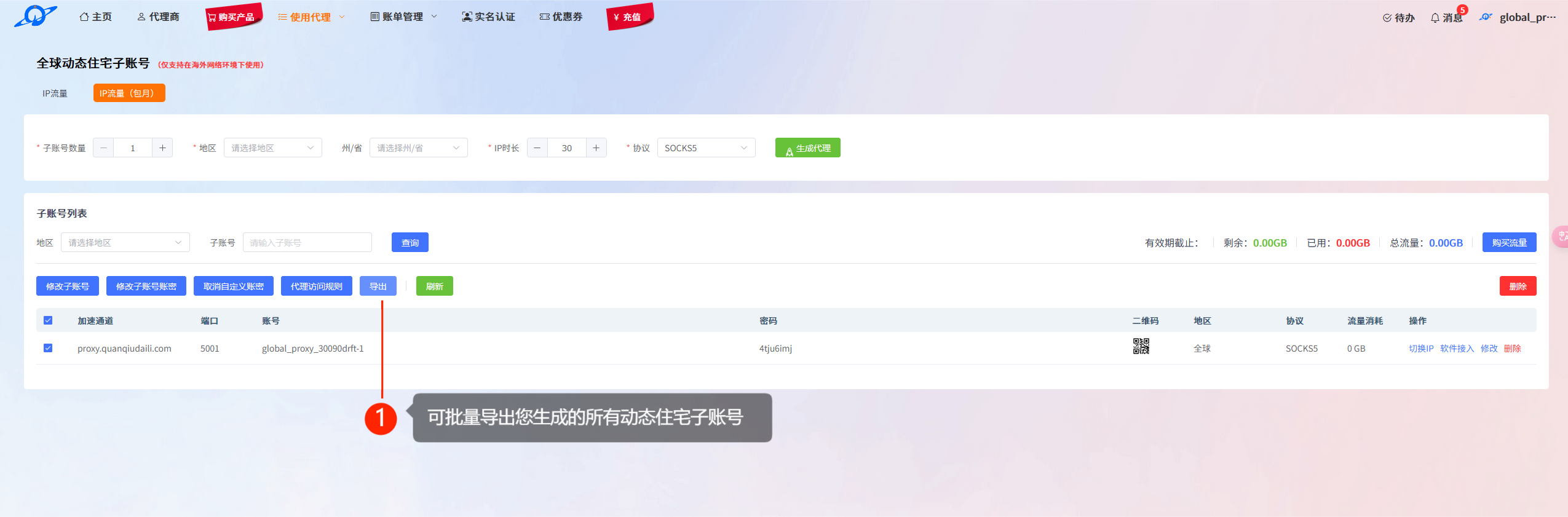
Method 2:
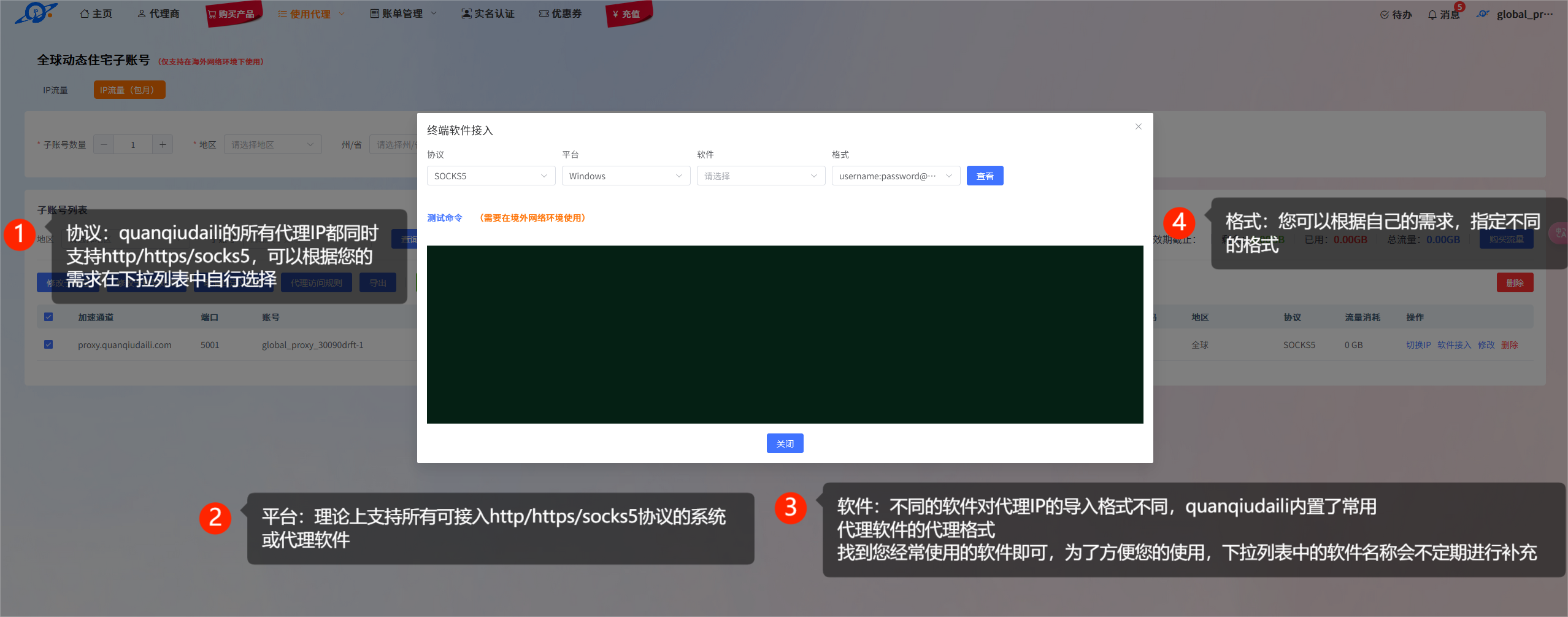
Method 3:
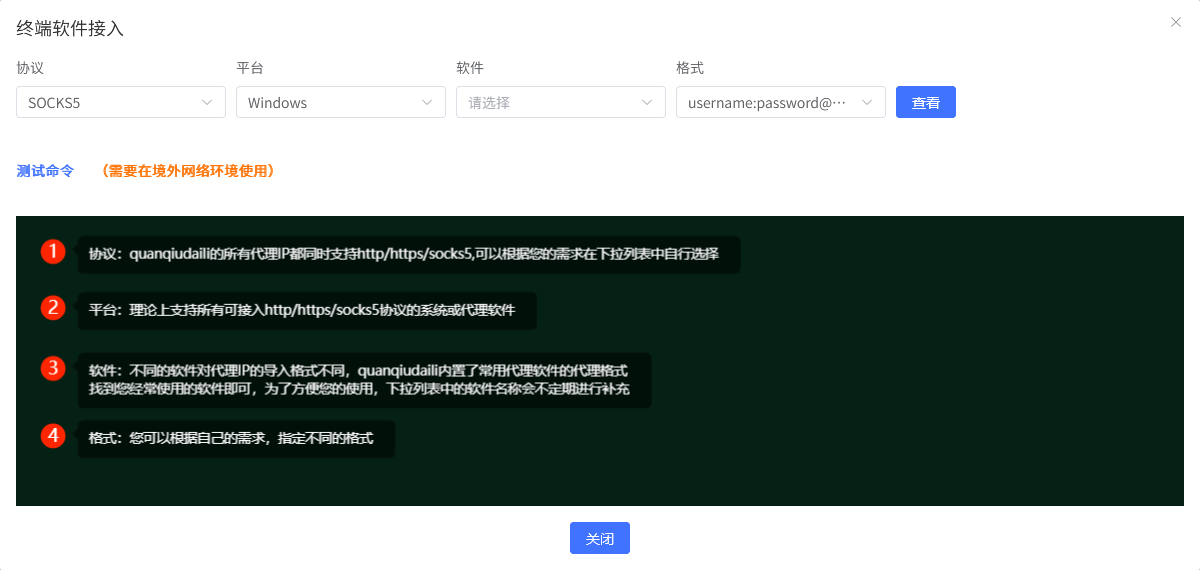
How to Get Proxy IPs After Purchasing Global Static Residential?
1. Go to "Purchased Orders" > "Global Static Residential"
2. View the "Global Static Residential Sub-account List"
Please check the card annotation for each parameter, which provides detailed descriptions. Bold text highlights the key information.
Method 1:
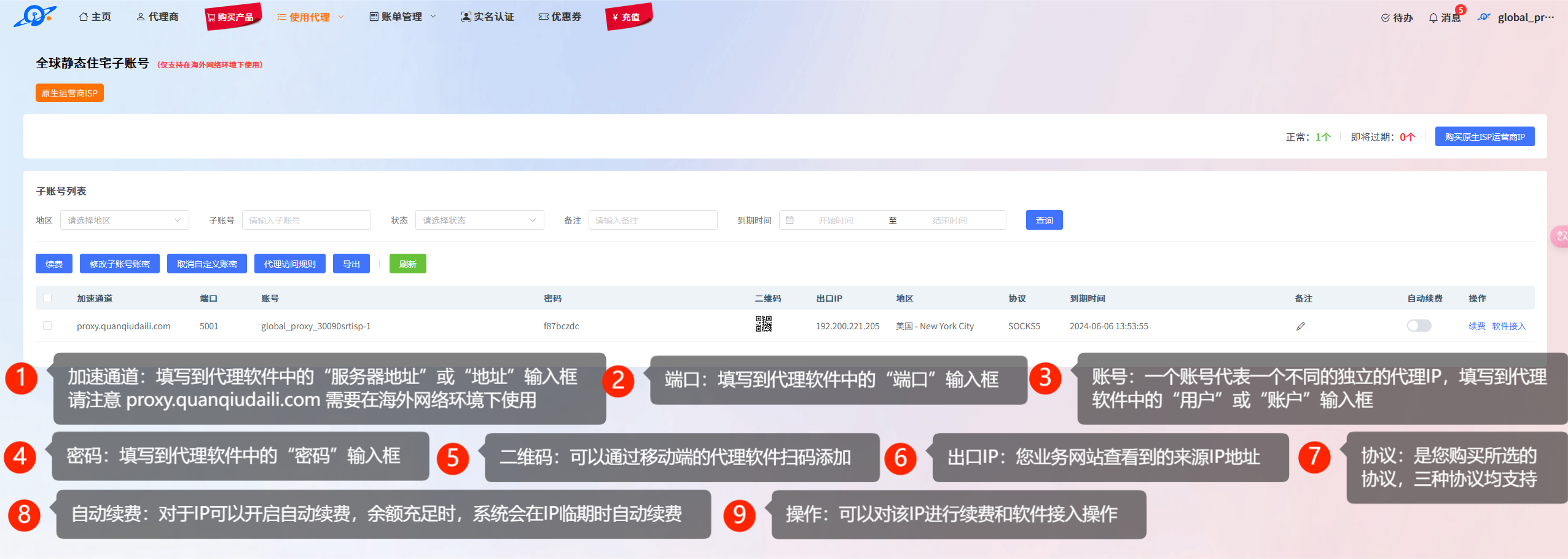
Method 2:
How to Get Proxy IPs After Purchasing Global Static Data Center?
1. Go to "Purchased Orders" > "Global Static Data Center"
2. View the "Global Static Data Center Sub-account List"
Please check the card annotation for each parameter, which provides detailed descriptions. Bold text highlights the key information.
Method 1:
Method 2:


